Reversing Irresponsible Conduct of Others – eMudhra SSL Certificate Cleanup On My Laptop

Introduction
During the week of Oct 19, 2026, it came out that eMudhra Technologies Limited, an Indian certificate authority operating under the emSign brand, had generated eight intermediate CA keys so weakly that a researcher was able to reconstruct the private keys from the public certificates. Six of those intermediates could issue TLS certificates and two could sign code, which means anyone holding the keys could mint a trusted certificate for any website. Browser vendors blocked the eight intermediates within hours and have begun pulling the parent root, emSign ECC Root CA – G3, from their trust stores. The company has since "exited" the web certificate business, and I hope they "exit" anything related to serious engineering; this kind of sloppiness should not be forgiven too quickly. [1]
Meanwhile, most companies and websites will replace and reissue certificates and revoke trust in eMudhra-related certificates; however, this may not be fast enough.
Below is my proactive guide for trying to secure my machine while learning a thing or two more about security, cryptography, etc.
I will be working with my Codex agent in “learn” mode which is basically the agent telling me what to do and why and I will follow along in tightening my system.
Apple System Root Trusted Certs
Our first stop is revoking and untrusting anything eMudhra. In Keychain Access → System Roots, revoke trust in “emSign ECC Root CA – G3”.
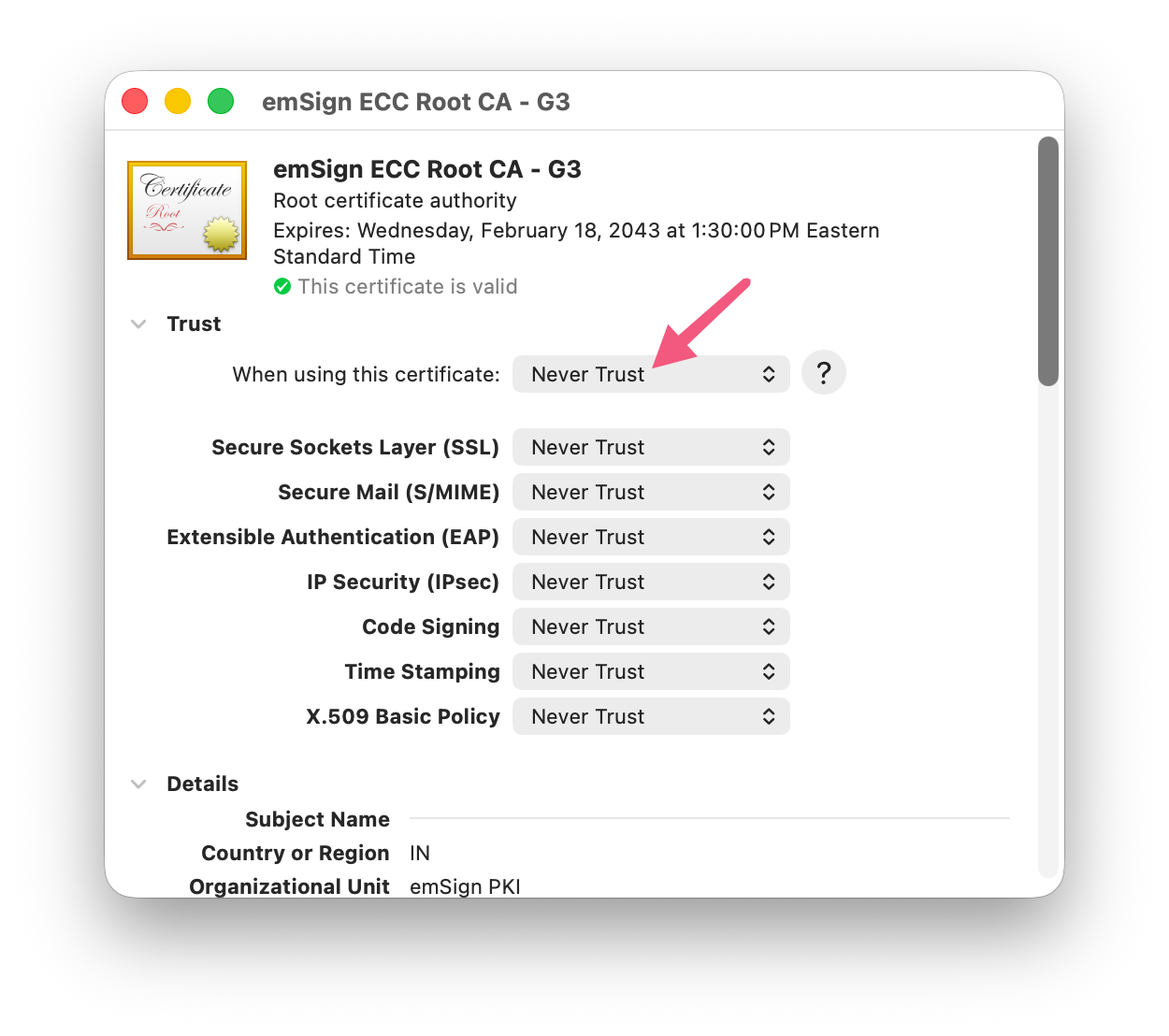
Close and authenticate if needed. According to my agent, G1 is ok [2], but I don’t trust anything eMudhra and will be setting anything from them to “Never Trust”
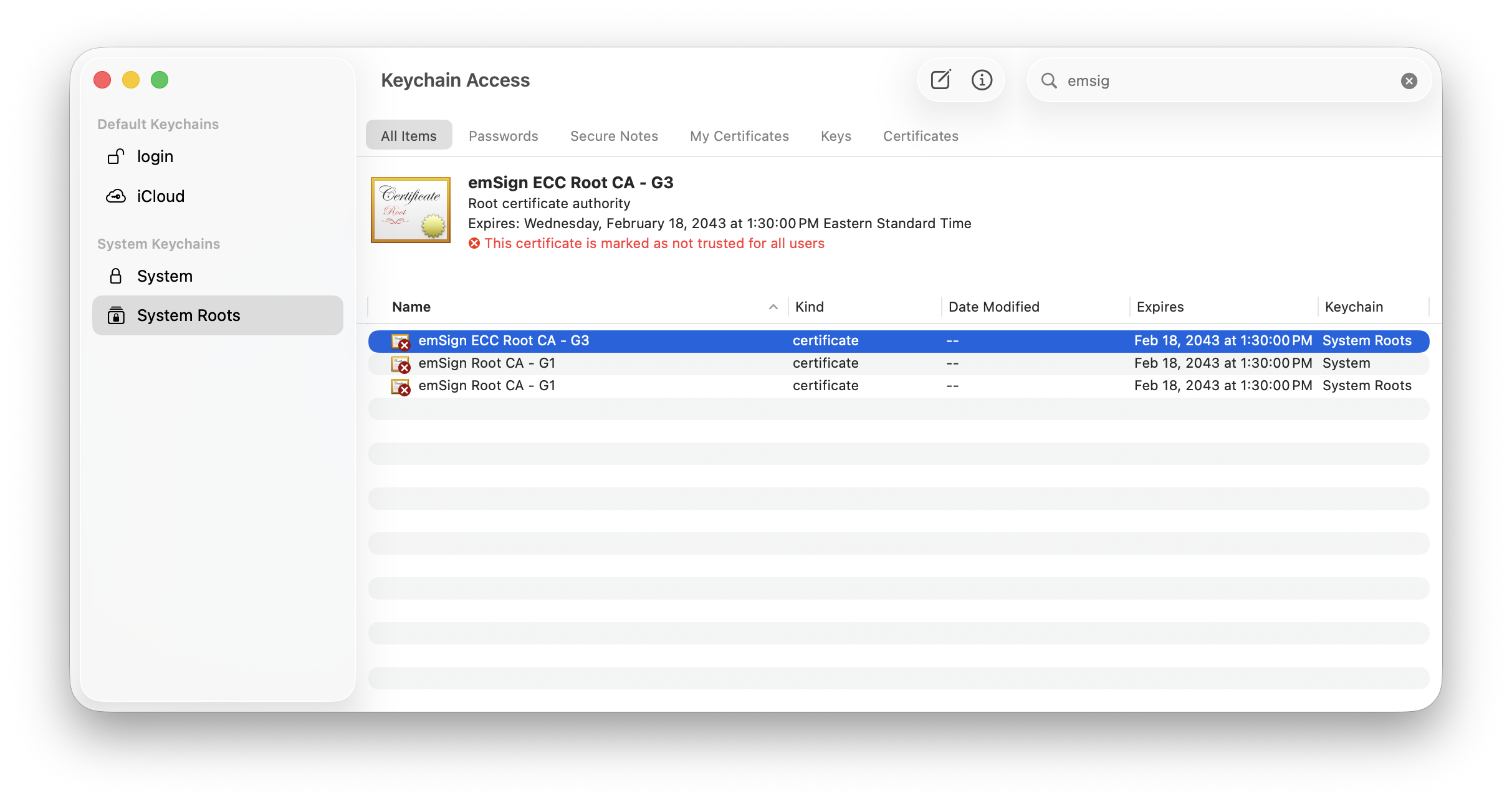
“This addresses apps using macOS trust. We’ll check Chrome and other tools separately.” – Codex.
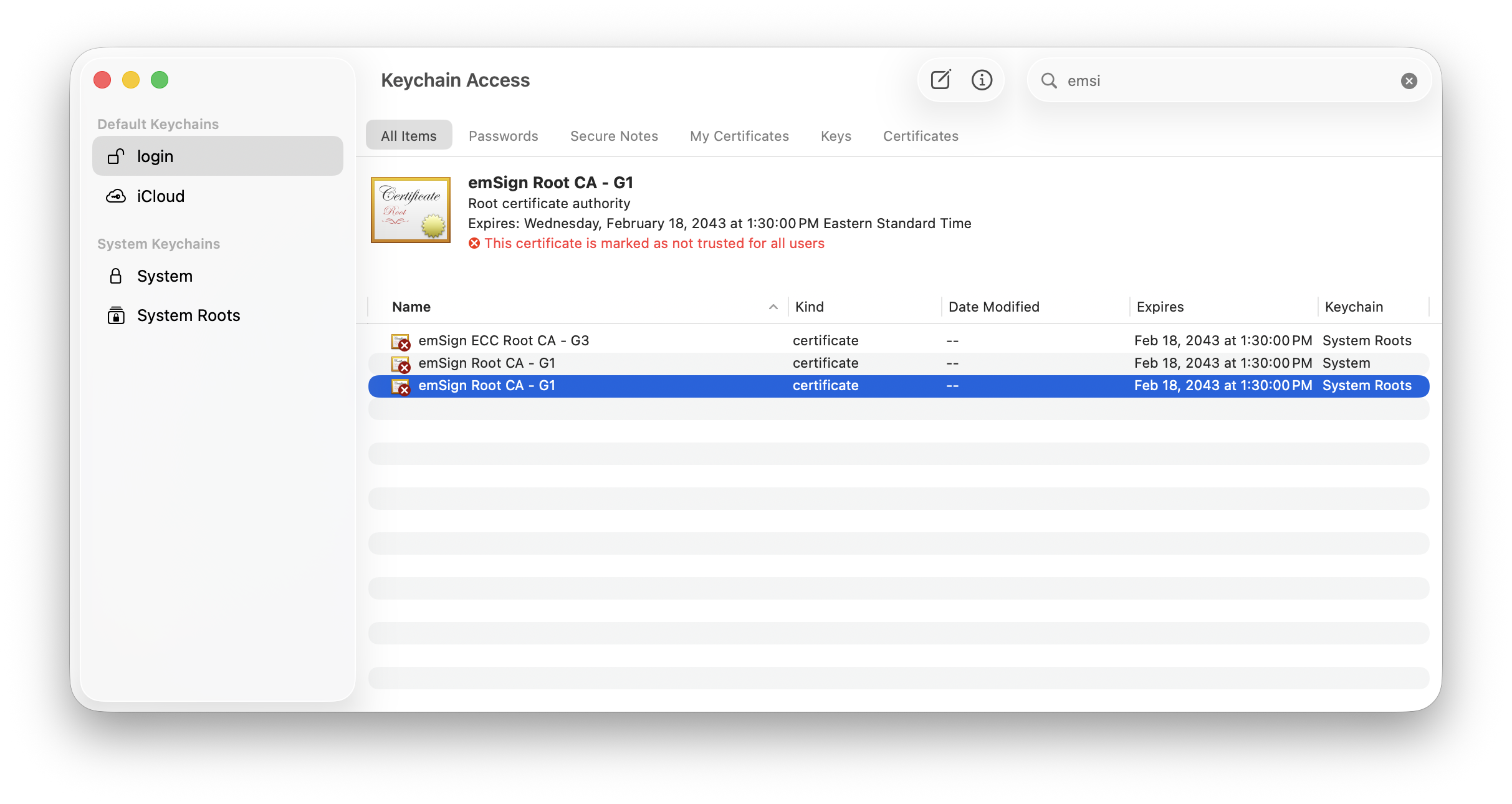
Next stop: System → Certificates and login in Keychain Access
Search for emSign or eMudhra and revoke trust in them.
Browsers
Safari
Safari uses the macOS certificate trust, so by virtue of the work above, we are in good shape.
Chrome
Open the Certificate Manager: chrome://certificate-manager
My Chrome had “Use imported local certificates from your operating system” enabled, so I had to click into View imported certificates from
macOS to make sure emSign and eMudhra are in the Distrust section:
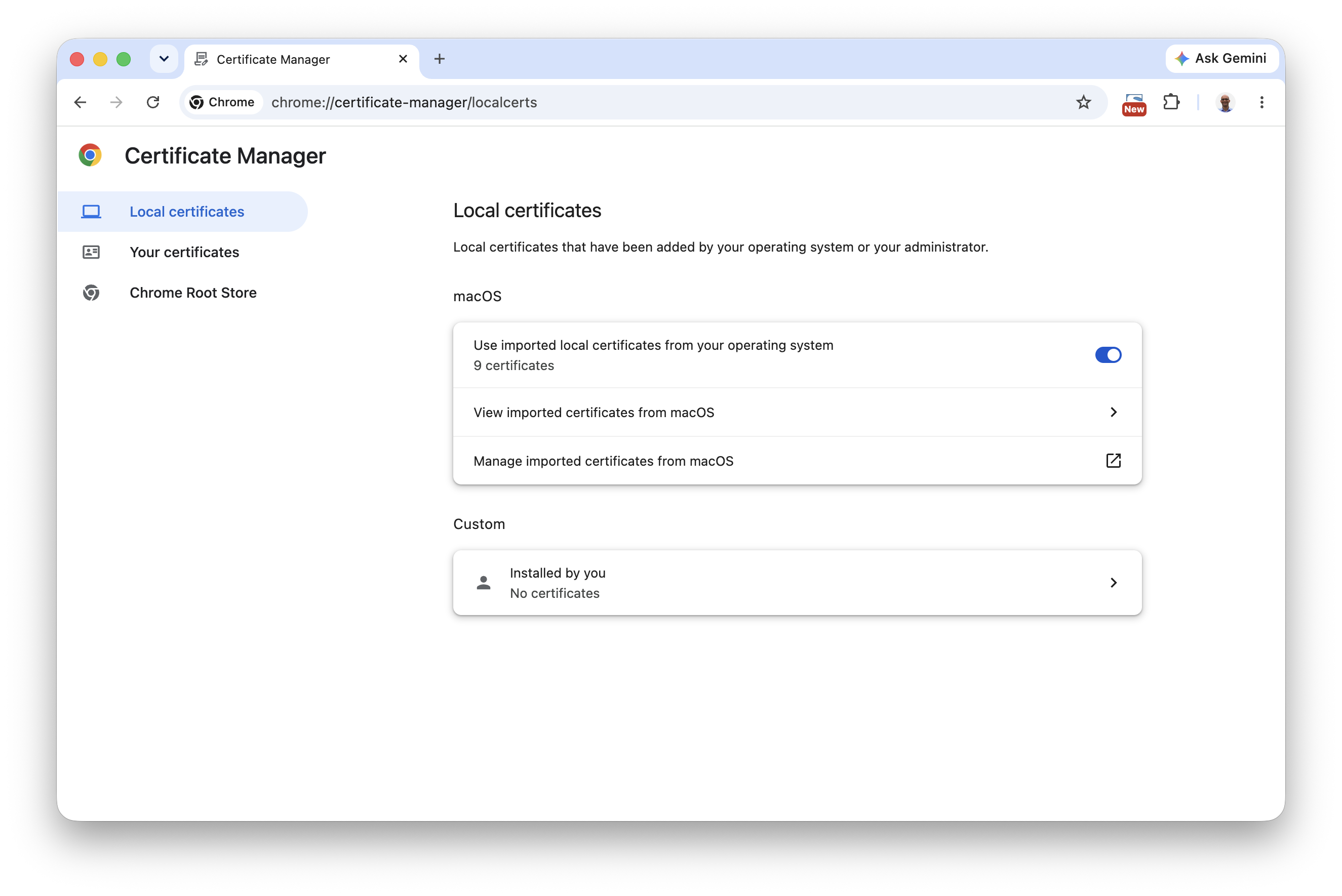
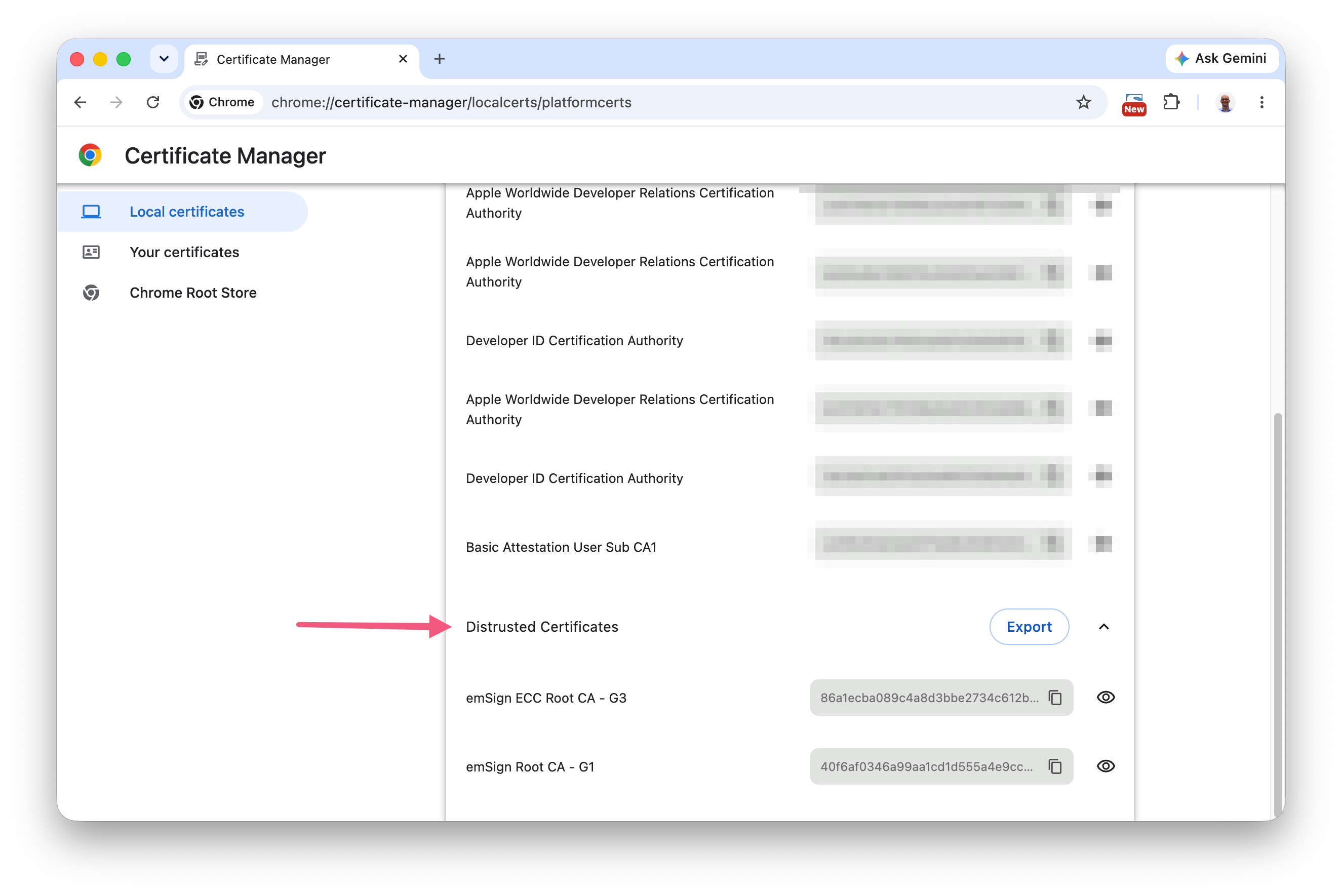
This confirms that Chrome has picked up the distrusted certificate authorities from macOS. Good, we’re done here.
Firefox
I also use Firefox from time to time, so let’s fix that too.
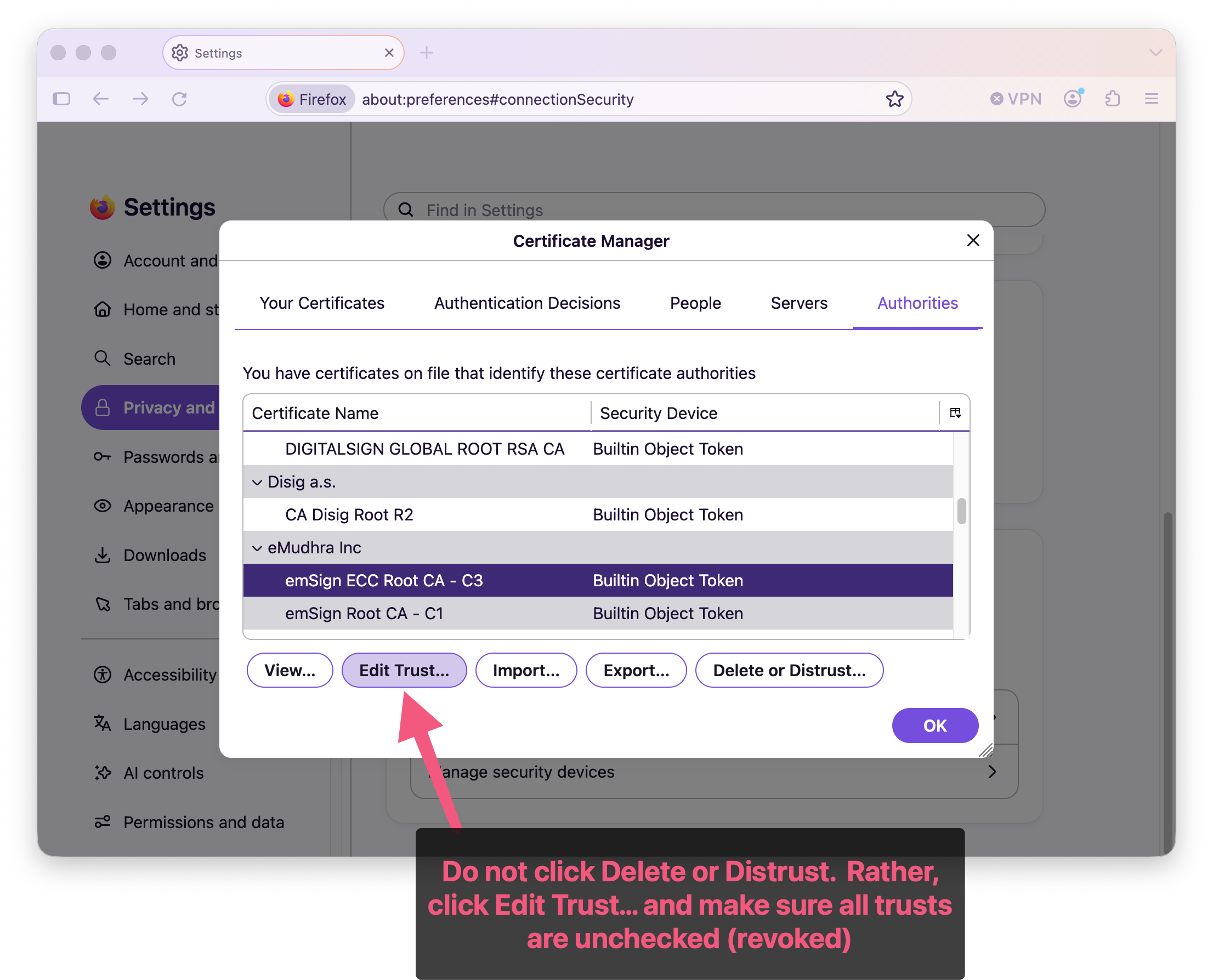
Settings → Privacy & Security → Advanced → Certificates → Authorities tab
Do not use the "Delete or Distrust…" buttons. The certificates authorities will disappear, but they will come back after restart of FireFox! Instead, set each certificate authority to untrusted via the "Edit Trust…" button.
Command Line Tools
curl
I do use curl, but it’s best to do
this one with your agent. I’ll share the gist of it here:
Run this command and parse the response headers to see what certificate authority was used:
curl -vI --connect-timeout 10 --max-time 20 https://example.comIt turns out my curl uses /etc/ssl/cert.pem rather than the macOS Keychain, so we will have to look there separately:
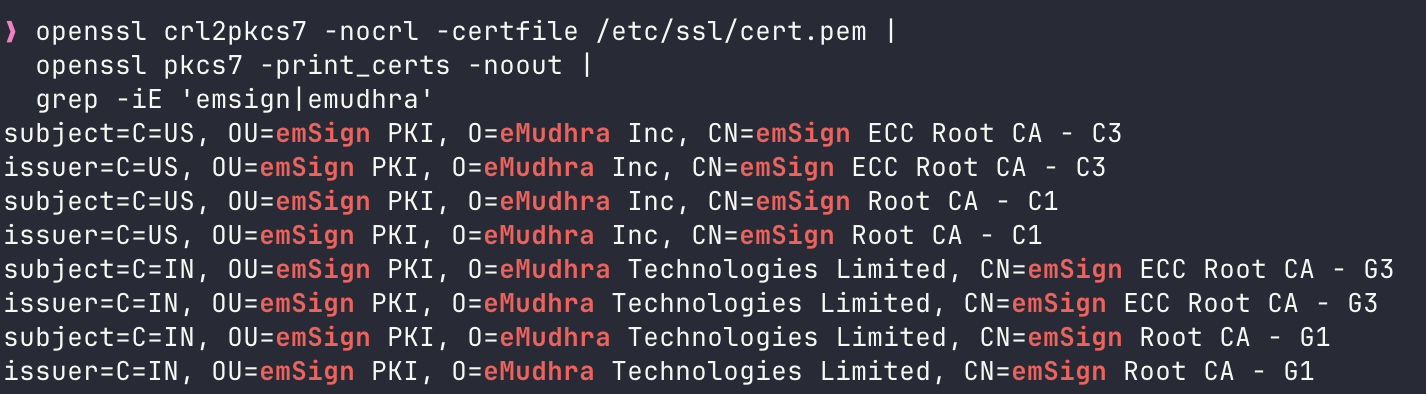
Apple’s recommendation for now is removing AAA and emSign related items manually from cert.pem: https://support.apple.com/en-us/149555
After this fix, you should not see anything emSign, eMudhra or AAA.
For good measure, I eradicated anything (full key blocks) related to emSign or eMudhra from cert.pem manually!
Python
python3 -c 'import ssl; print(ssl.get_default_verify_paths())'Turns out Python on my machine doesn’t use /etc/ssl/cert.pem, so yet another place to look for this.


It seems like G1 only which is technically ok, but I’m still not happy. So I’ll probably remove G1 too!
So I did it manually!
Node
My agent wrote a script which gathers the TLS certificate authorities for each installed Node.js on my machine (brew and asdf):
(
  audit_js='
    const tls = require("tls");
    const { X509Certificate } = require("crypto");
    const modern = typeof tls.getCACertificates === "function";
    const certs = modern ? tls.getCACertificates("default") : tls.rootCertificates;

    console.log("\n" + process.execPath);
    console.log(process.version + " — " +
      (modern ? "default CA certificates" : "bundled CA certificates"));

    let found = false;
    for (const pem of certs) {
      const cert = new X509Certificate(pem);
      if (/emsign|emudhra|AAA Certificate Services/i.test(cert.subject)) {
        found = true;
        console.log(cert.subject.replace(/\n/g, ", "));
      }
    }
    if (!found) console.log("No matching certificates found.");
  '

  for version in 20.15.1 24.13.0; do
    node_dir=$(asdf where nodejs "$version") || continue
    "$node_dir/bin/node" -e "$audit_js"
  done

  /opt/homebrew/bin/node -e "$audit_js"
)
It seems like I’ve got work to do! Node bundles certs so any IDE or app that had node in it can possibly have eMudhra certificates bundled in. At least to protect node launched via CLI, I added the following to my .zshrc (or .bashrc, etc):
# Use the cleaned Homebrew CA bundle for Node.
export NODE_OPTIONS="--use-openssl-ca"
export SSL_CERT_FILE="/opt/homebrew/etc/ca-certificates/cert.pem"
export SSL_CERT_DIR="/opt/homebrew/etc/openssl@3/certs"
But, this is not comprehensive, unfortunately.
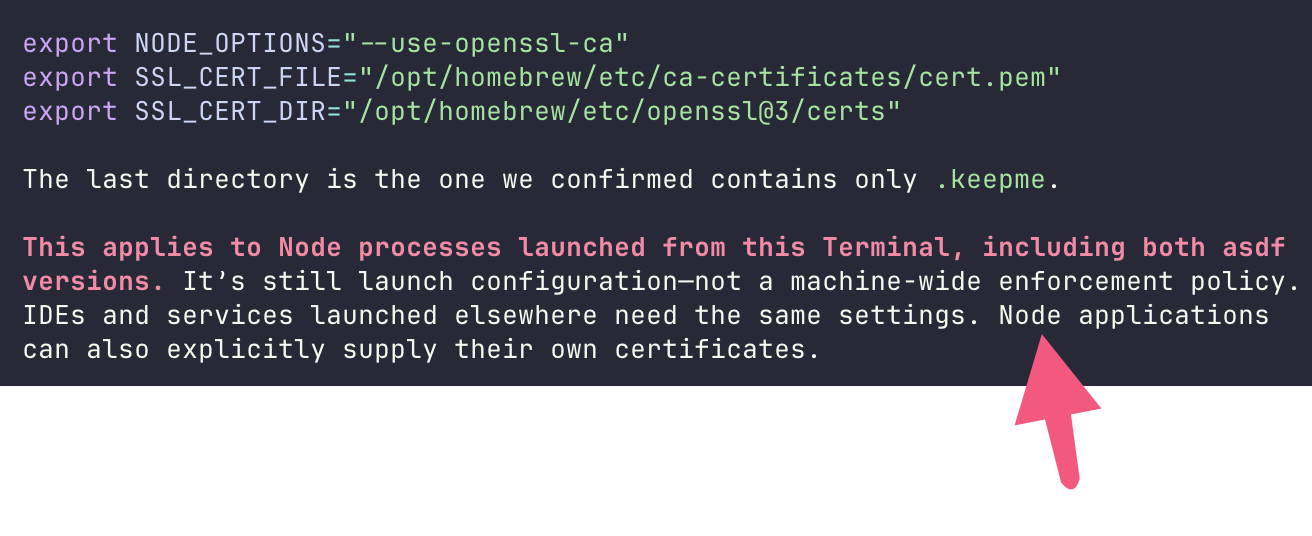
Unfortunately, not much can be done to centralize the cert authority on a computer. We just have to manually navigate what’s on the machine and one by one fix it, remove it or update it if it’s been fixed by the upstream provider of the app or package.
The broadest practical coverage is:
- Keychain distrust settings for apps that respect macOS trust.
- A cleaned /etc/ssl/cert.pem for tools that use that file.
- Separate configuration or updates for browsers, Node, Python environments, Java, and other software with its own roots.
Git
It seems like I’m using the Apple Git:
git config --show-origin --get-regexp '^http\..*(sslverify|sslcainfo|sslcapath|sslbackend)$'
Python Virtual Environments
This is a one-by-one block-and-tackle process of each repository in the system.
Docker Containers
For Docker images and containers which are inspection worthy, do something like this:
docker run --rm --network none --read-only \
  --entrypoint /bin/sh \
  CONTAINER_NAME \
  -c 'cat /etc/os-release; command -v openssl; command -v python; command -v python3; command -v node'
Then this:
docker run --rm --network none --read-only \
  --entrypoint /bin/sh \
  CONTAINER_NAME \
  -c '
    for bundle in \
      /etc/ssl/certs/ca-certificates.crt \
      /usr/local/lib/python*/site-packages/certifi/cacert.pem \
      /usr/local/lib/python*/site-packages/pip/_vendor/certifi/cacert.pem
    do
      [ -f "$bundle" ] || continue
      printf "\nBundle: %s\n" "$bundle"
      openssl crl2pkcs7 -nocrl -certfile "$bundle" |
        openssl pkcs7 -print_certs -noout |
        grep -iE "emsign|emudhra|AAA Certificate Services"
    done
  '
It looks like I’ve got work to do!
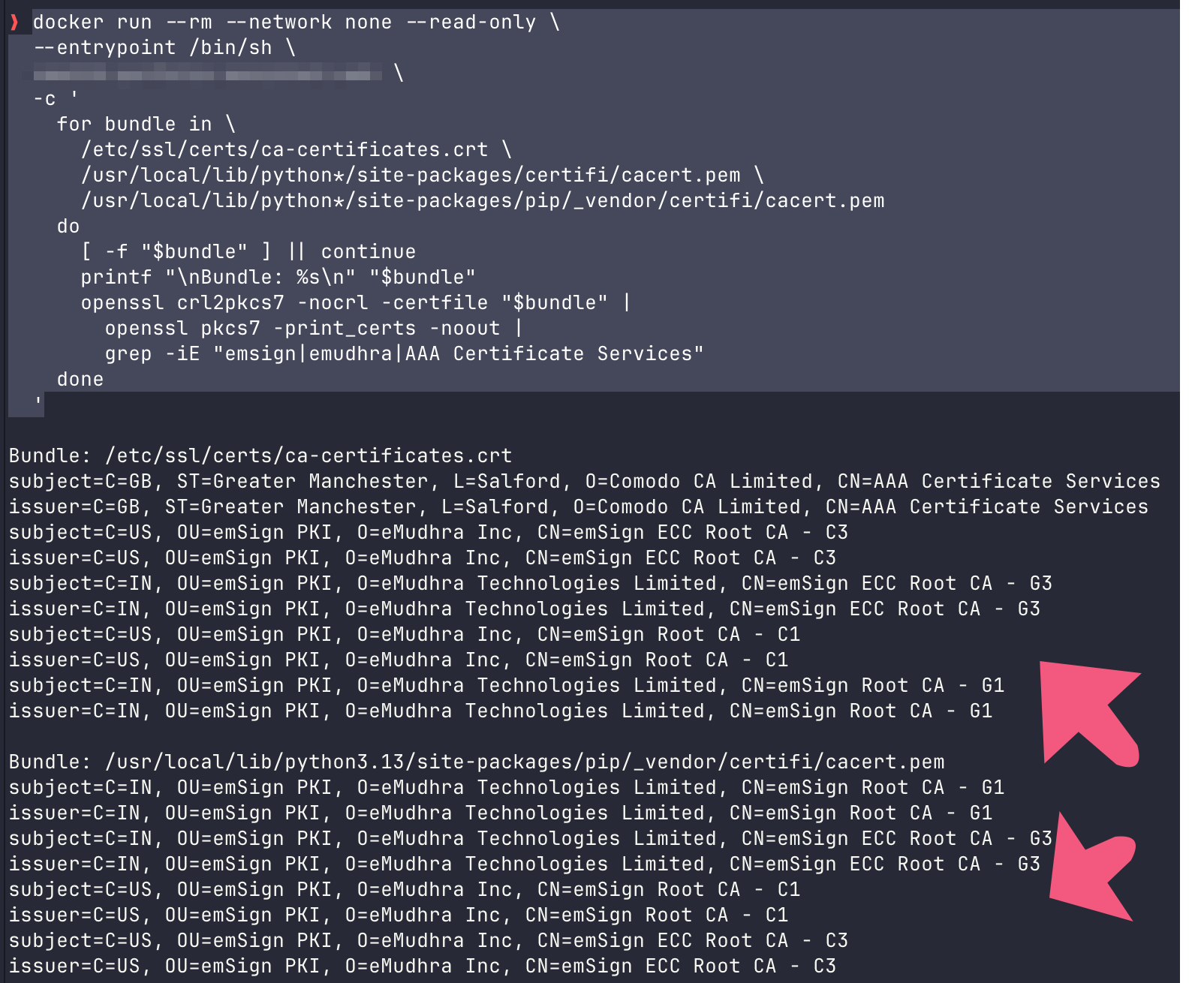
The trick is to add the following in your Dockerfile after the FROM python or similar line which starts the image specs.
# Disable all emSign roots and the AAA cross-signing trust path.
RUN sed -i -E \
      '/^mozilla\/(emSign_|AAA_Certificate_Services)/s/^/!/' \
      /etc/ca-certificates.conf \
    && update-ca-certificates --fresh
Debian uses ! to disable a
certificate; --fresh rebuilds the bundle and certificate-directory
symlinks.
Debian documentation
Also, some local Python work needs to happen, which I hope doesn’t need to stay with us forever, but I would want to force exclude all emSign roots, so we need to make pip’s bundle match the cleaned system bundle. Add this to the Dockerfile after the pip upgrades:
RUN python -c \
    'import shutil; import pip._vendor.certifi as certifi; shutil.copyfile("/etc/ssl/certs/ca-certificates.crt", certifi.where())'
And voilà!